Huggging Face NLP ecosystem
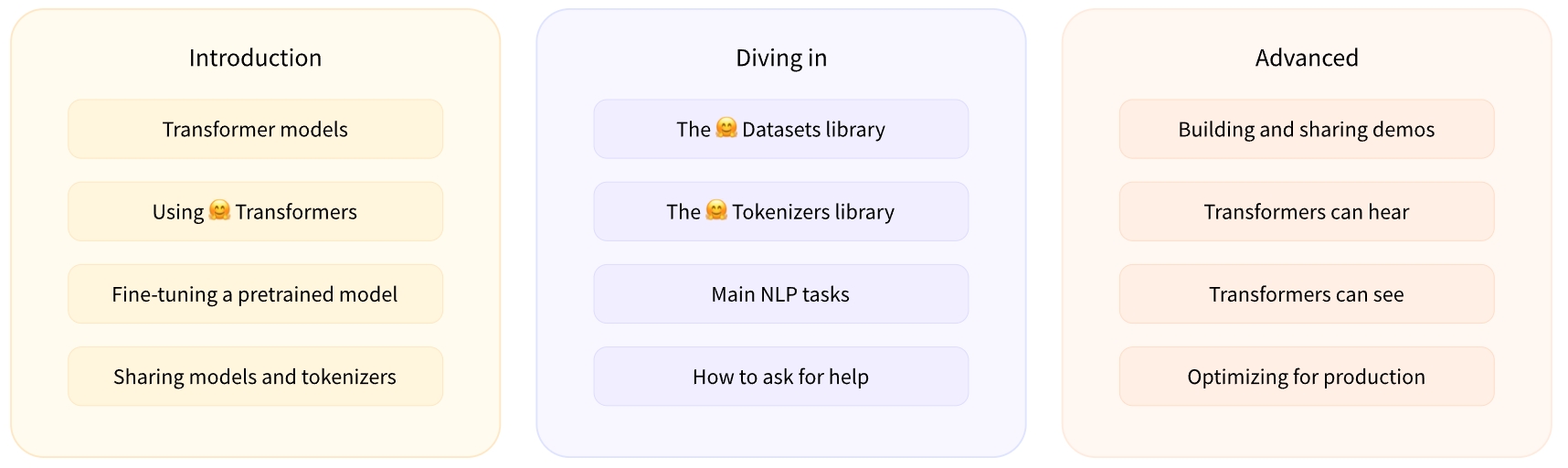
NLP 介绍
NLP 任务:
- Classifying whole sentences: Getting the sentiment of a review, detecting if an email is spam, determining if a sentence is grammatically correct or whether two sentences are logically related or not
- Classifying each word in a sentence: Identifying the grammatical components of a sentence (noun, verb, adjective), or the named entities (person, location, organization)
- Generating text content: Completing a prompt with auto-generated text, filling in the blanks in a text with masked words
- Extracting an answer from a text: Given a question and a context, extracting the answer to the question based on the information provided in the context
- Generating a new sentence from an input text: Translating a text into another language, summarizing a text
Transformers
简介
transformers提供了数以千计的预训练模型,支持 100 多种语言的文本分类、 信息抽取、问答、摘要、翻译、文本生成。它的宗旨是让最先进的 NLP 技术人人易用。transformers提供了便于快速下载和使用的 API,让你可以把预训练模型用在给定文本、 在你的数据集上微调然后通过 model hub 与社区共享。同时,每个定义的 Python 模块均完全独立, 方便修改和快速研究实验。transformers支持三个最热门的深度学习库:Jax, PyTorch 以及 TensorFlow,并与之无缝整合。 可以直接使用一个框架训练你的模型然后用另一个加载和推理。
为什么要用 transformers?
- 便于使用的先进模型:
- NLU 和 NLG 上表现优越
- 对教学和实践友好且低门槛
- 高级抽象,只需了解三个类
- 对所有模型统一的 API
- 更低计算开销,更少的碳排放:
- 研究人员可以分享已训练的模型而非每次从头开始训练
- 工程师可以减少计算用时和生产环境开销
- 数十种模型架构、2000 多个预训练模型、100 多种语言支持
- 对于模型生命周期的每一个部分都面面俱到:
- 训练先进的模型,只需 3 行代码
- 模型在不同深度学习框架间任意转移,随你心意
- 为训练、评估和生产选择最适合的框架,衔接无缝
- 为你的需求轻松定制专属模型和用例:
- 为每种模型架构提供了多个用例来复现原论文结果
- 模型内部结构保持透明一致
- 模型文件可单独使用,方便魔改和快速实验
安装
- Python 3.8+
- PyTorch 1.11+
pip:
$ pip install transformers, datasets, evaluate, accelerate
$ pip install torch
conda:
$ conda install conda-forge::transformers
工具 pipeline
使用 transformers.pipeline() 是利用预训练模型进行推理的最简单的方式,
pipeline() 可以用于跨不同模态的多种任务,下面是 pipeline() 支持的任务列表:
| 任务 | 描述 | 模态 | Pipeline |
|---|---|---|---|
| 文本分类 | 为给定的文本序列分配一个标签 | NLP | pipeline(task="sentiment-analysis”) |
| 文本生成 | 根据给定的提示生成文本 | NLP | pipeline(task="text-generation”) |
| 命名实体识别 | 为序列里的每个 token 分配一个标签(人, 组织, 地址等等) | NLP | pipeline(task="ner”) |
| 问答系统 | 通过给定的上下文和问题, 在文本中提取答案 | NLP | pipeline(task="question-answering”) |
| 掩盖填充 | 预测出正确的在序列中被掩盖的token | NLP | pipeline(task="fill-mask”) |
| 文本摘要 | 为文本序列或文档生成总结 | NLP | pipeline(task="summarization”) |
| 文本翻译 | 将文本从一种语言翻译为另一种语言 | NLP | pipeline(task="translation”) |
| 图像分类 | 为图像分配一个标签 | Computer vision | pipeline(task="image-classification”) |
| 图像分割 | 为图像中每个独立的像素分配标签(支持语义、全景和实例分割) | Computer vision | pipeline(task="image-segmentation”) |
| 目标检测 | 预测图像中目标对象的边界框和类别 | Computer vision | pipeline(task="object-detection”) |
| 音频分类 | 给音频文件分配一个标签 | Audio | pipeline(task="audio-classification”) |
| 自动语音识别 | 将音频文件中的语音提取为文本 | Audio | pipeline(task="automatic-speech-recognition”) |
| 视觉问答 | 给定一个图像和一个问题,正确地回答有关图像的问题 | Multimodal | pipeline(task="vqa”) |
快速上手
- 使用
pipeline判断正负面情绪
from transformers import pipeline

classifier = pipeline("sentiment-analysis")
res1 = classifier("We are very happy to introduce pipeline to the transformers repository.")
res2 = classifier(
    [
        "I've been waiting for a HuggingFace course my whole life.",
        "I hate this so much!"
    ]
)
print(res1)
for result in res2:
    print(f"label: {result['label']}, with score: {round(result["score"], 4)}")
[{'label': 'POSITIVE', 'score': 0.9996980428695679}]
- 从给定文本中抽取问题答案
from transformers import pipeline

question_answerer = pipeline("question-answering")
res = question_answerer({
    "question": "What is the name of the repository ?",
    "context": "Pipeline has been included in the huggingface/transformers repository",
})
print(res)
- 可以在任务中下载、上传、使用任意预训练模型。
from transformers import AutoTokenizer, AutoModel

tokenizer = AutoTokenizer.from_pretrained("google-bert/bert-base-uncased")
model = AutoModel.from_pretrained("google-bert/bert-base-uncase")
inputs = tokenizer("Hello world!", return_tensors = "pt")
outputs = model(**inputs)
- 自动语音识别
import torch
from transformers import pipeline
from datasets import load_dataset, Audio

speech_recognizer = pipeline(
    "automatic-speech-recognition",
    model = "facebook/wav2vec2-base-960h",
)

dataset = load_dataset("PolyAI/minds14", name = "en-US", split = "train")
# 确保加载的数据集中的音频采样频率与模型训练用的数据的音频的采样频率一致
dataset = dataset.cast_column("audio", Audio(sampling_rate = speech_recognizer))
result = speech_recognizer(dataset[:4]["audio"])

print([d["text"] for d in result])